


Homey — A better smart home
4.263.00 Reviews
App Specs
- Version
- 10.1.0
- Updated On
- License
- Free
- Downloads
- 100,000+
- Developer
- Athom B.V.
- Categories
- House & Home
- Platform
- Android, iOS
Screenshots
 Analysis by AppCompare
Home automation can make everyday routines easier, but it can also create a new problem: several devices, separate apps, and controls that are hard to find when you need them. I find Homey — A better smart home most interesting as a way to bring those controls together, rather than as a reason to automate everything. Its usefulness depends on the devices in your home and on whether its layout feels manageable to you.
Readability and finding the controls you need
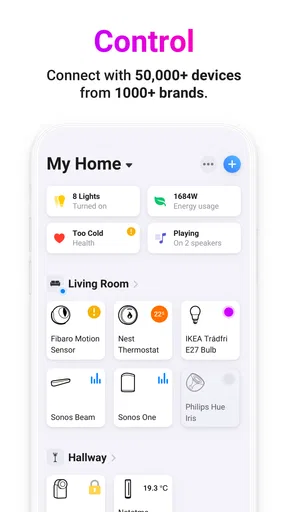
When I use a smart-home app, I want the important actions to be easy to locate: turning off a light, checking a device, or changing a setting without digging through several screens. Homey’s dashboard is meant to bring frequently used controls and information into one place. That can reduce the mental effort of remembering which manufacturer’s app handles each device, especially in a home where equipment has been added gradually.
A dashboard is only helpful if it stays focused. I’d start with a small set of controls I reach for every day, such as the main room lights, and add other information only when it earns its space. A screen packed with energy figures, alerts, weather, and every connected device may look comprehensive but can make the next action harder to spot. Keeping the view relevant to your own routine is a practical way to make the app less overwhelming.
Motor and sensory considerations
Automation can be useful when repeated taps or trips across a room are tiring, inconvenient, or simply impractical. A routine that controls several compatible devices together can reduce those steps. Voice control may offer another way to act when reaching for a phone is awkward, though speaking commands is not comfortable or suitable for everyone. I would treat voice as an optional route, not as the only way to operate essential parts of a home.
Alerts and sound-based interaction also call for personal judgement. Notifications can help draw attention to a change, but frequent or nonessential alerts may become distracting. I’d keep the alerts that support a real decision and avoid relying on a sound or spoken response if visual confirmation matters to you. The best setup is the one that offers a usable alternative when a particular input method does not suit the person at home.
Useful at home and away
One appealing use is preparing a simple evening routine: switch off selected lights and make sure the devices you use at bedtime are set the way you want. That is more useful than automating a long chain of actions just because it can be done. If someone else shares the home, I’d also consider whether the routine is predictable and easy for them to understand, rather than surprising them with changes they did not expect.
Remote control can help when you are away, but it is not the same as being physically present to check a device. I would use the app for ordinary adjustments and treat security-related alerts as prompts to investigate, not as proof that everything is safe. If a delay occurs over an outside connection, patience and a direct check may be wiser than repeatedly sending the same command.
Worth Reading Before You Choose

Baby Panda World Brings Quick Play to Modern Phones, but Its Game Library Feels Busy

ESPN’s Live Game View Makes Following Close Games Easier

QuizzLand Review: A Good Fit for Short Trivia Breaks, Not Every Player

Basketball Stars: Multiplayer Is Fast, but Can It Recover When Matches Go Wrong?

WEBTOON Turns Phone Updates Into a Better Reading Routine

Link to Windows Runs on Shared Habits, Not Social Feeds
Where an all-in-one approach can fall short
Homey is a house-and-home app from Athom B.V. Its free download makes it easy to consider, and the app is rated for Everyone. The current version is 9.7.1 and it requires Android 7.0 or later. Its average rating is 4.2 from around 6,300 ratings, and it has more than 100,000 installs. There are in-app purchases, so I’d check the purchase details before paying for anything rather than assuming every part of a setup is included at no cost.
Putting controls in one place does not guarantee that every device will work exactly as it does in its own app. Compatibility, available controls, and the experience of managing a particular device can depend on the equipment you already own. Before building a plan around Homey, I’d check whether the devices that matter most can be added and whether their everyday functions are available there. For a home built around one manufacturer, that brand’s own app may offer a more direct route to its specialised settings. For mixed equipment, a central app can be a worthwhile trade-off if it reduces the need to switch constantly.
Getting Started with Homey
First things first, setting up Homey was surprisingly easy. I was half-expecting a tech nightmare, but nope, it was smooth sailing. You just download the app, follow a few prompts, and boom, you're ready to roll. It's compatible with a wide range of devices, which is awesome because who wants to juggle a million apps, right?
All-in-One Control
One of the coolest features is how it integrates with multiple smart devices. Whether you've got a smart bulb, thermostat, or even a security camera, Homey connects them all. The app acts like a universal remote for your home. I loved how I could dim the lights and set the perfect temperature without leaving my couch. Talk about convenience!
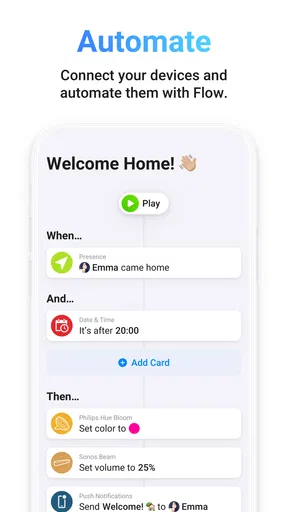
The interface is super intuitive. You can create "flows," which are basically automated tasks. For instance, I set up a flow to turn off all lights and lock the doors when I say, “Goodnight.” It’s those little things that add up to a big difference.
Voice Control and Compatibility
If you're into voice commands, Homey has got you covered. It works with Google Assistant, Alexa, and even Siri. I tested it out with Alexa, and it was spot on. Just a simple "Alexa, tell Homey to turn on the living room lights," and voila! The lights were on. It's pretty satisfying.
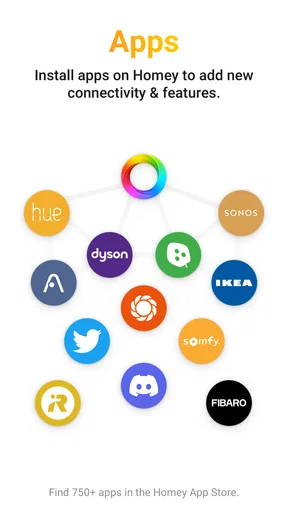
What’s impressive is the range of brands it supports. From Philips Hue to Nest, and even some lesser-known ones, it’s all in there. I didn't have to worry about my older devices not being compatible, which was a huge relief.
Customizable Dashboards
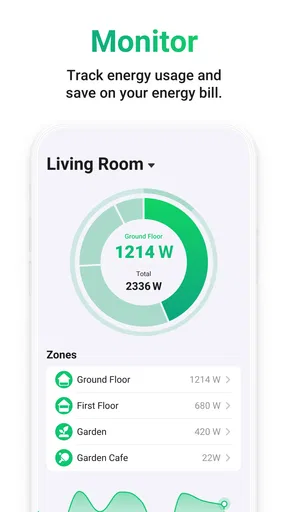
Another neat feature is the customizable dashboard. You can set it up to display the info you care about most, like energy usage or security alerts. I’ve got mine showing the weather, my energy consumption, and a quick access panel for my most-used devices. It’s like having a smart home control center right in your pocket.
Plus, the app sends notifications for things like security breaches or high energy usage. It’s like having a personal assistant keeping an eye on everything.
Room for Improvement
Of course, no app is perfect. I did notice a slight lag when controlling devices from outside my home network. It’s not a deal-breaker, but something to keep in mind. Also, while the app is quite user-friendly, it might take a bit of exploring to fully grasp all its capabilities. A little patience goes a long way here.
Who will get the most from it?
I’d recommend Homey to someone who has a mix of connected devices and wants a single place to reach common controls, especially if they enjoy shaping routines around real habits. It can also suit a household where different people prefer different ways to interact: one person can use the dashboard, while another may prefer a voice assistant. That flexibility is most valuable when everyone knows what a routine does and can still operate the devices directly if needed.
I’d be more cautious if you are buying new equipment specifically for this app and have not checked how well that equipment fits. A familiar brand name does not automatically mean every setting will appear in a central controller. If you rely on a specialised feature in a manufacturer’s app, keep that app available until you have tested the equivalent task in Homey. The best first step is to connect one or two important devices, try the actions you use most, and only then decide whether to move more of your home into the same setup.
Make routines dependable, not clever
Flows are most useful when they simplify a repeatable decision. A good starting point is a routine with a clear purpose and an easy manual fallback: for example, a bedtime flow that changes only the lights and devices you genuinely want handled together. I would avoid making one command responsible for too many unrelated actions. If a guest or family member does not know what “Goodnight” changes, the routine can feel confusing even when it works correctly.
It also helps to think through exceptions before relying on automation. A light that should normally switch off may need to stay on when someone is reading, or a routine may not suit a different bedtime. Keeping the manual controls visible and naming routines in plain language makes it easier to understand what will happen. This is a small planning step, but it can prevent automation from becoming another system the household has to troubleshoot.
Choosing between Homey and separate brand apps
Compared with managing every device through its own app, a central dashboard can save time by reducing app switching and giving common actions a shared home. The trade-off is that a specialised brand app may still be clearer for detailed configuration or device-specific options. I see Homey as a convenient everyday layer, not necessarily a reason to uninstall every other control app. Keeping the original apps can be sensible for setup, troubleshooting, and tasks that the central interface does not handle as directly.
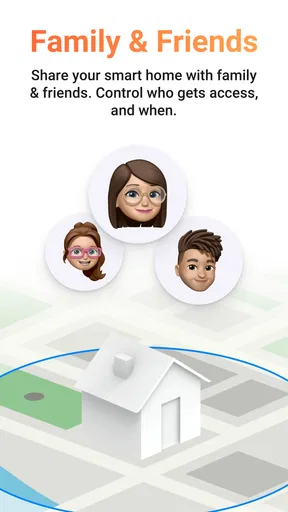
There is also a difference between controlling devices together and making a home simpler for everyone. The person who builds the flows may understand them immediately, while another resident may not know why a light changed or how to override it. I’d explain shared routines and make sure the usual controls remain easy to find. That matters especially in a household where visitors, children, or people with different support needs may use the same rooms.
Practical checks before relying on it
If you are deciding whether to install it, ask yourself three practical questions: are your key devices supported, can you reach their everyday controls in the central app, and will the people who share your home understand the dashboard and routines? Testing those points with a small setup is more useful than connecting everything at once. It also makes it easier to spot whether a slow response is occasional or frequent enough to change how you use the app.
For anyone sensitive to clutter or alerts, I’d keep the dashboard and notifications deliberately restrained. Choose a few actions that save effort and a few alerts that genuinely need attention; leave the rest out until there is a clear reason to add them. If touch navigation, voice commands, or notifications do not suit your circumstances, check that the specific devices you depend on still have a workable alternative. Home automation should reduce friction, not make basic household tasks depend on one interface.
Final Thoughts
Overall, Homey — A better smart home is a solid choice for anyone looking to streamline their smart home experience. It's powerful, easy to use, and incredibly versatile. Whether you're a smart home newbie or a seasoned pro, this app has something to offer. So, if you're tired of juggling multiple apps and want a more cohesive smart home setup, give Homey a try. You might just love it!
Pros
- User-friendly interface for seamless navigation.
- Supports a wide range of smart devices.
- Customizable automation routines for efficiency.
- Remote access to control your home anytime.
- Regular updates ensure security and new features.
Cons
- Requires stable internet for optimal performance.
- Limited support for non-partnered devices.
- Subscription needed for advanced features.
- Initial setup can be time-consuming.
- Some features restricted to specific regions.
FAQs for Homey — A better smart home
What is Homey and how does it enhance my smart home experience?
Homey is a comprehensive smart home platform designed to unify your various smart devices into a single, user-friendly interface. It enhances your smart home experience by allowing seamless integration and automated control over devices such as lights, thermostats, and security systems, all from one convenient app.
Which devices are compatible with Homey?
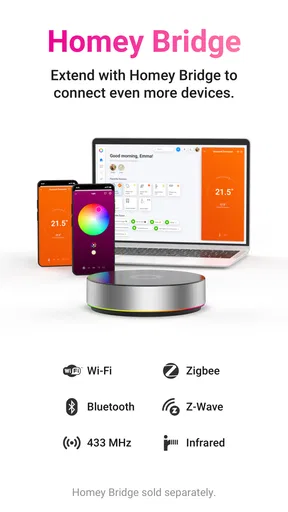
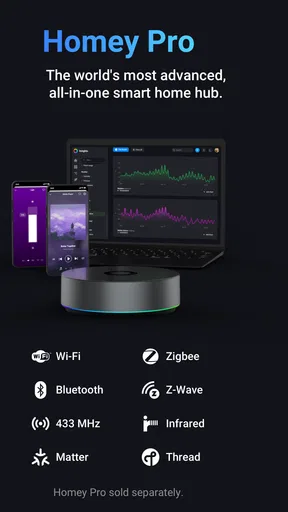
Homey is compatible with a wide range of smart devices from various brands. It supports devices that use technologies like Zigbee, Z-Wave, Wi-Fi, Bluetooth, and more. Before installation, check the Homey website for a complete list of supported brands and devices to ensure compatibility.
How secure is the Homey app in protecting my smart home data?
Homey prioritizes user security by employing robust encryption methods and secure communication protocols. Your data is stored securely, ensuring that personal information and smart home configurations are protected from unauthorized access. Regular updates are provided to maintain high security standards.
Can I automate tasks using Homey, and how easy is it to set up?
Yes, Homey allows you to automate tasks through its intuitive Flow editor. You can create custom scenarios and automations without needing coding skills. The setup is straightforward, with a drag-and-drop interface that lets you easily set triggers and actions for various devices, enhancing your smart home automation.
Is there a subscription fee for using Homey?
Homey offers both free and premium subscription plans. The basic features are available for free, while advanced functionalities and integrations may require a subscription. Check the Homey website for detailed information on pricing and the features included in each plan to determine what best suits your needs.


